
 Welcome to Pipeliner CRM Mobile Application Training!
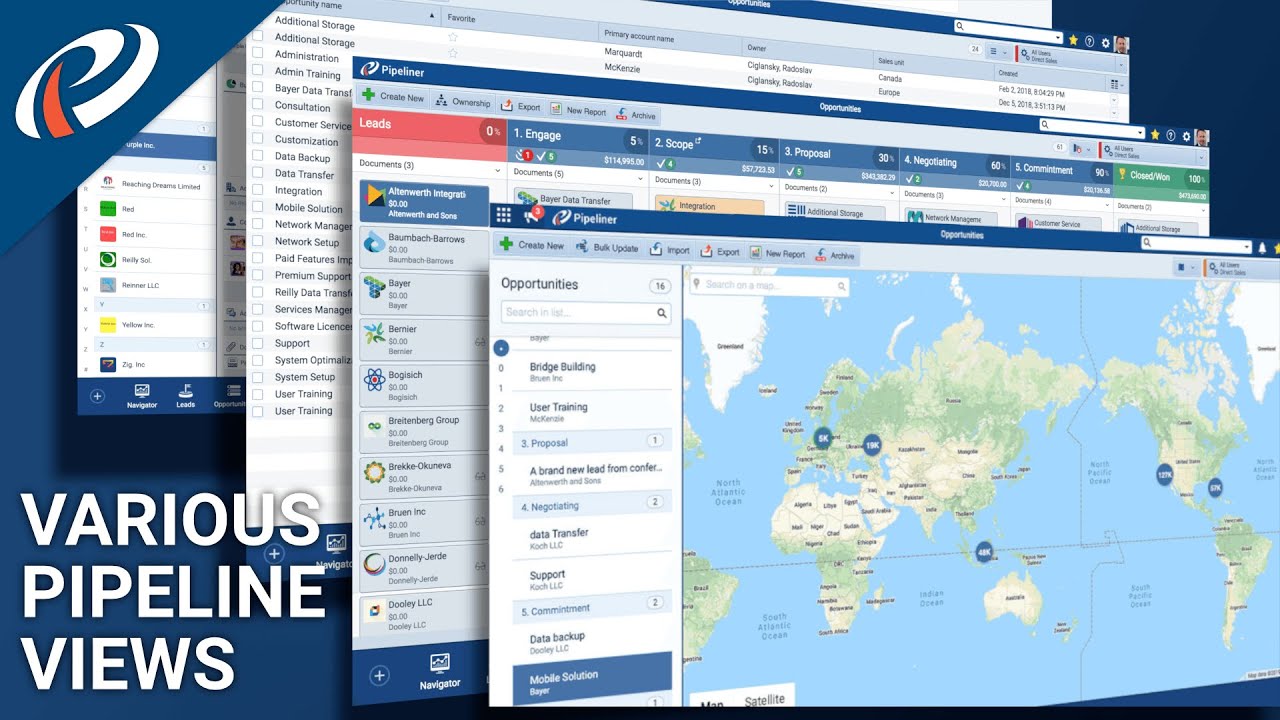
 In this video, we will be discussing the various pipeline views available in the Pipeliner CRM Mobile Application. On the upper right-hand side, while clicking on the drop-down, you can see the different views of all the information that we have in our pipeline.
Go to the pipeline view; there you will view every column represents another step of your sales process and the last column represents whatever you consider your one completed or closed the deal because these are opportunities in our pipeline, you can move these opportunities from one step of the process to the next. You can also enjoy the facility of moving backward if you wanted to.
Thanks for joining us! Watch the entire video to get an exact idea of the whole process. Make it easy to manage the different tasks of your sales team using the amazing features of the Pipeliner CRM Mobile Application.
About Pipeliner CRM:
Pipeliner is reinventing CRM and leading the market with new ideas efficiently executed to meet the challenges of this digital age. We are a global company and always looking for new team members to help us build Pipeliner CRM and advance their own career goals.
Thanks for watching the video, and subscribe today by clicking the link below! Share your experiences with us in the comment section! For more informational content, hit the bell icon and get regular notifications of our upcoming videos. Don’t forget to hit the like button; it will motivate us to create more effective videos.
Till then, watch the other helpful videos on the channel and a few of the videos are linked below:
01. Essential Guidelines For Sales Activity Admin In Pipeliner CRM!
Link:
02. Essentials Regarding The License Usage In Pipeliner CRM Mobile Application!
Link:
03. Default User Roles Differences In Pipeliner CRM Mobile Application!
Link:
You can visit our official website at
and to stay tuned with the latest sales strategy, sales process and technology you must follow us on our social media channels as well:
Facebook:
Twitter:
Instagram:
#salesteam #mobileapplication #salesprocess


0 Comments